
Water Current
Add Water Current to the main water body. Enable Global Current, choose a direction, and set its strength to create flow across the whole water body. Add current zones when one part of the water needs a different direction or strength, such as a narrow channel or an area near a drain.
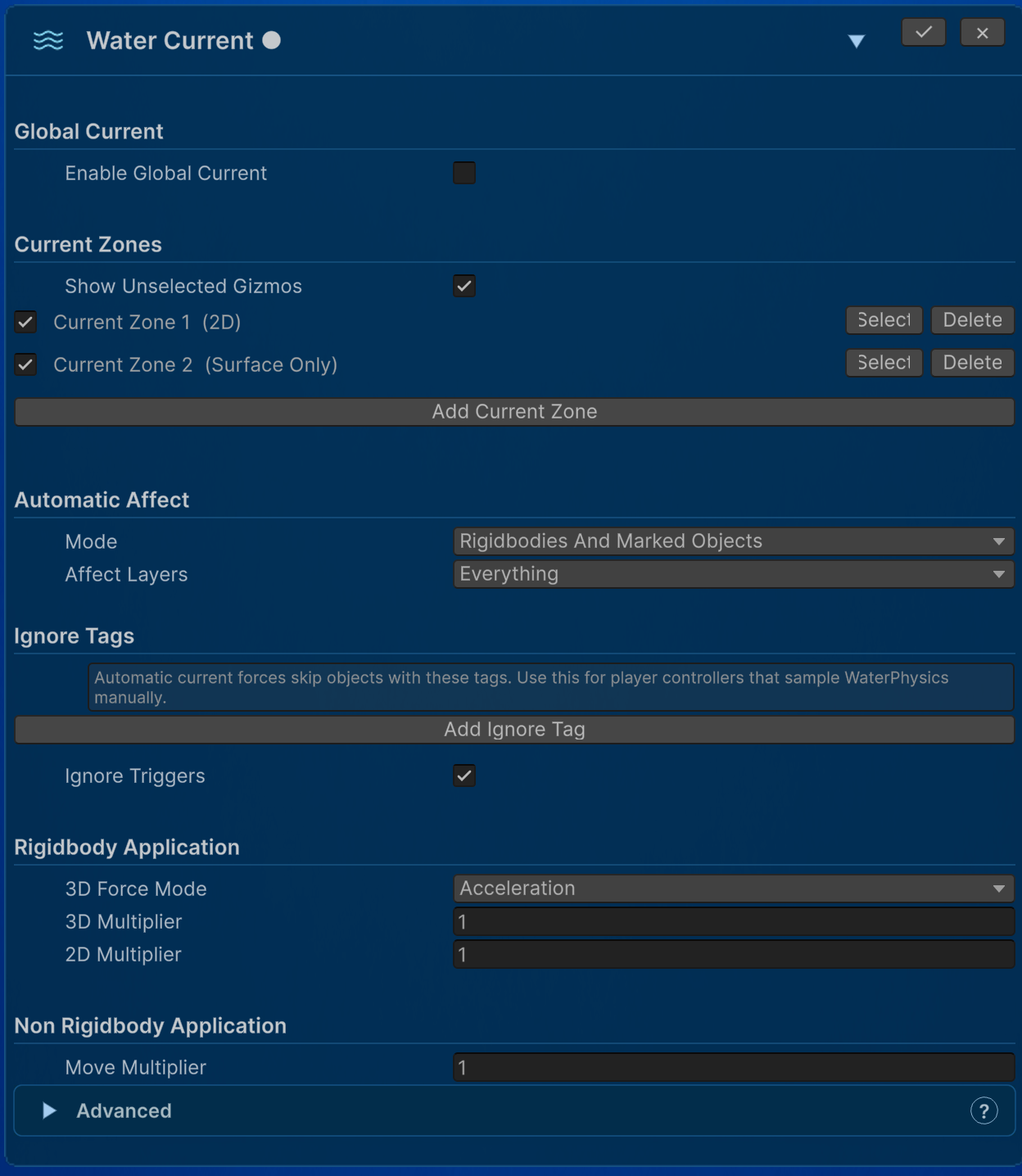
Current lines visualize the authored flow, while the current settings provide the sampled or automatically applied gameplay force. A visible line does not by itself prove that an object is an eligible current target.
Current zones
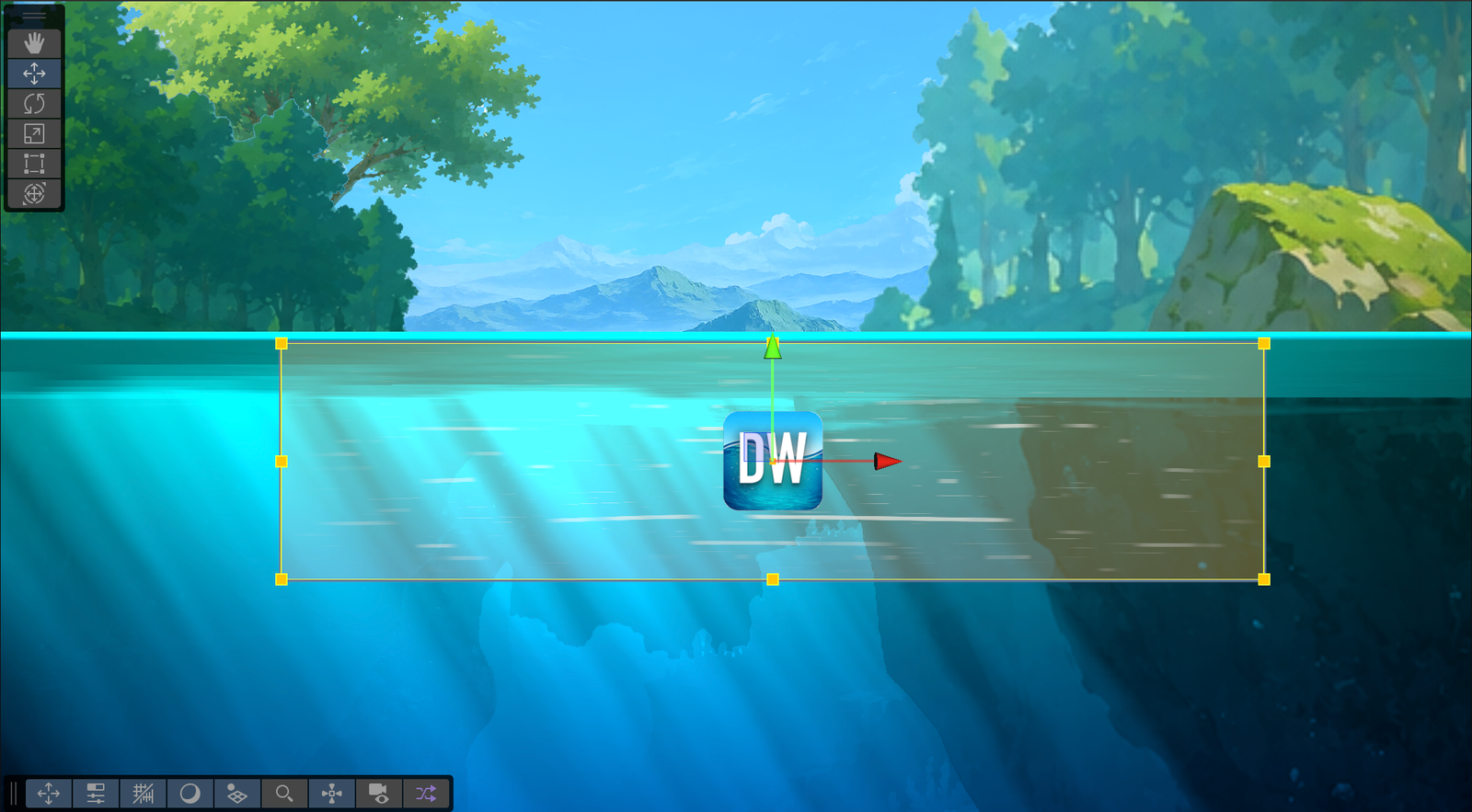
Create a zone from the module’s zone list, select it, and resize/move it using its Inspector and Scene controls.
The Surface 2.5D and Volume 2.5D options use X/Z coordinates for zones placed on 2.5D water. They describe the current zone’s spatial mode.
| Setting | Effect |
|---|---|
| Mode | 2D uses an X/Y rectangle; Surface 2.5D and Volume 2.5D use X/Z. |
| Zone Size | Width and second-axis extent for the chosen mode. |
| Volume Depth | Downward reach in Volume 2.5D. |
| Surface Tolerance | Vertical band around the origin in Surface 2.5D. |
| Local Direction / Strength | Flow direction transformed from the zone’s local space, and its magnitude. |
| Entry Falloff | Fades current strength near every zone edge. It also blends Player Movement Divider from 1 at the edge toward its configured full-influence value. 0 gives a hard edge. |
| Priority | Chooses between overlapping zones; higher priority wins. Equal-priority matches prefer stronger sampled current. |
| Player Movement Divider | Reduces controller-authored movement at full zone influence. 1 leaves input unchanged, 2 halves it, and larger values weaken it further. The sampled divider blends through Entry Falloff rather than switching abruptly at the boundary. |
| Current Lines | Optional animated overlay showing flow; color, opacity, density, length, width, speed, variation, edge fade, and noise tune its appearance. |
When a point lies inside a current zone, that zone replaces the global current at that position. A zone only affects places that already belong to its water body. It cannot make the water larger, and it does not apply current inside an Exclusion Area.
Use Player Movement Divider when a current should weaken—but not completely replace—the player’s control. Both current strength and movement division use the same zone influence: at the boundary the current begins at zero and the divider begins at 1; across Entry Falloff, they approach the zone’s full current strength and configured divider. Outside an active current, the sampled divider returns to 1.
How objects receive current
Choose automatic targets in the module’s Mode: disabled, rigidbodies, marked rigidbodies, marked objects, or rigidbodies plus marked objects. Use Water Current Affectable (WaterCurrentAffectable) to opt objects into modes that require a marker. Unmarked objects without a Rigidbody are ignored by automatic application.
Use Affect Layers, Ignore Tags, and Ignore Triggers to filter targets. Rigidbody settings scale the force application; non-Rigidbody settings scale transform movement. Automatic 2D force application compensates for mass to provide consistent acceleration.
For a player that reads WaterSensor2D.CurrentRaw or uses a water movement helper, ensure automatic current application is not also pushing that player unintentionally. Use the module’s filters or choose manual sampling. Buoyancy has its own current response, so check the existing integration before adding another current application path.
Reading current values from a controller
WaterSensor2D exposes the sampled flow without deciding how it should move the character. WaterCharacter2D forwards the same readings as convenient Vector2 properties; it does not automatically add them to the velocity returned by ApplyWaterMovement(...).
| Value | Meaning |
|---|---|
HasCurrent |
True while the latest sample contains an active global current or current zone. Use this instead of testing whether a vector is approximately zero. |
CurrentDirection |
Normalized world-space flow direction. |
CurrentStrength |
Current strength after zone-edge falloff has been applied. |
CurrentInfluence01 |
Normalized zone influence. It approaches 0 near a falloff edge and 1 in the full-strength region. |
CurrentMovementForceDivider |
Falloff-adjusted divisor for player-authored movement. It is always at least 1; divide the movement input or another controller-owned movement term by this value. |
CurrentRaw |
CurrentDirection * CurrentStrength. This is the most useful value for custom movement. |
CurrentForce |
Compatibility alias for CurrentRaw; it is not automatically a Unity force. |
At full influence, a configured Strength of 4 produces a CurrentRaw vector with magnitude 4. The value is deliberately unit-neutral: a controller may interpret it as a target velocity, an acceleration input, or another game-specific response.
Refresh once at the beginning of the physics step, then choose one access path. To read the sensor directly:
waterSensor.Refresh();
bool hasFlow = waterSensor.HasCurrent;
Vector2 rawFlow = (Vector2)waterSensor.CurrentRaw;
float edgeInfluence = waterSensor.CurrentInfluence01;
float movementDivider = waterSensor.CurrentMovementForceDivider;
Or use the equivalent forwarding API on WaterCharacter2D:
// RefreshNow() refreshes the attached WaterSensor2D.
waterCharacter.RefreshNow();
bool hasFlow = waterCharacter.HasCurrent;
Vector2 rawFlow = waterCharacter.CurrentRaw;
float edgeInfluence = waterCharacter.CurrentInfluence01;
float movementDivider = waterCharacter.CurrentMovementForceDivider;
Do not refresh both components in the same controller step. WaterCharacter2D.RefreshNow() already refreshes its attached sensor.
WaterCharacter2D.TryGetCurrent(...) returns normalized direction and falloff-adjusted strength separately. GetCurrentTargetVelocity(multiplier) returns CurrentRaw * multiplier, and GetCurrentVelocity(...) is a simple convenience smoother. For separate resistance inside a zone edge and after leaving the zone, retain and update a controller-owned offset as shown next.
Applying the movement divider
The divider affects only the movement authored by the player/controller. Apply it after refreshing the sensor and before calculating ordinary land or water movement. Keep the separately sampled current offset unchanged:
waterSensor.Refresh();

if (waterSensor.HasCurrent)
    moveInput /= Mathf.Max(1f, waterSensor.CurrentMovementForceDivider);

// Calculate normal movement from the reduced input, then add the separately
// retained currentVelocityOffset using the response model below.
The sample controllers divide moveInput, which weakens walking or swimming intent while leaving gravity, jumping, dash rules, collision resolution, and the controller-owned current velocity under their existing logic. A custom controller may divide a different player-authored term, but should not divide CurrentRaw or the retained current offset—the divider is intended to reduce resistance from player movement, not weaken the current itself.
Controller-owned current response
The sample controllers expose Use Water Character Current API (useWaterCharacterCurrentApi) to demonstrate both implementations. Enabled uses WaterCharacter2D.GetCurrentTargetVelocity(...); disabled reads WaterSensor2D.CurrentRaw directly. Both paths consume the same sampled flow and produce the same movement response.
Keep the water-flow velocity separate from player-controlled movement. currentPush controls how quickly the character yields when flow becomes stronger or reverses. currentFalloffResistance preserves a gradual slowdown while the character remains inside a weakening zone edge. Once no flow is active, currentResistance decelerates the retained offset more quickly, but continuously rather than stopping it in one frame.
Opposing input changes the base swimming velocity; it does not erase or charge the retained flow offset. A sufficiently strong current can therefore overpower sustained opposing input. If the player stops swimming after being pushed out of the zone, no older hidden force returns—the remaining drift simply continues decreasing from its latest velocity.
bool HasActiveCurrent => useWaterCharacterCurrentApi
    ? waterCharacter != null && waterCharacter.IsInWater && waterCharacter.HasCurrent
    : waterSensor != null && waterSensor.IsInsideWaterVolume && waterSensor.HasCurrent;

Vector2 UpdateCurrentVelocity(Vector2 currentVelocity, float dt)
{
    bool hasActiveFlow = HasActiveCurrent;
    Vector2 targetVelocity = hasActiveFlow
        ? (useWaterCharacterCurrentApi
            ? waterCharacter.GetCurrentTargetVelocity(currentSpeedMultiplier)
            : (Vector2)waterSensor.CurrentRaw * currentSpeedMultiplier)
        : Vector2.zero;

    bool currentIsPushing = targetVelocity.sqrMagnitude > currentVelocity.sqrMagnitude ||
                            Vector2.Dot(targetVelocity, currentVelocity) < 0f;

    float influence = hasActiveFlow
        ? (useWaterCharacterCurrentApi
            ? waterCharacter.CurrentInfluence01
            : waterSensor.CurrentInfluence01)
        : 0f;
    float releaseResponse = hasActiveFlow
        ? Mathf.Lerp(currentFalloffResistance, currentResistance, influence)
        : currentResistance;
    float response = currentIsPushing ? currentPush : releaseResponse;

    return Vector2.MoveTowards(
        currentVelocity,
        targetVelocity,
        Mathf.Max(0f, response) * dt);
}
With currentSpeedMultiplier = 1, configured current strength becomes the target offset speed. Lower currentPush for a heavy character that yields slowly, lower currentFalloffResistance for more drift through a zone edge, or raise currentResistance for a shorter—but still smooth—coast after leaving the flow.
Apply the offset after ordinary swimming and before controller-owned abilities such as dash:
Vector2 baseVelocity = velocity - currentVelocityOffset;
Vector2 waterVelocity = waterCharacter.ApplyWaterMovement(
    moveInput,
    baseVelocity,
    divePressed,
    maxFallSpeed,
    dt);

currentVelocityOffset = UpdateCurrentVelocity(currentVelocityOffset, dt);
velocity = waterVelocity + currentVelocityOffset;
velocity = ApplyUnderwaterDash(velocity, moveInput, canDash, dt);
Subtract the previous offset before passing velocity to ApplyWaterMovement(...), then add the updated offset exactly once. A direct-sensor controller follows the same separation: calculate player-controlled swim velocity first, update the retained flow offset, and combine them before collision resolution.