
Buoyancy
Use Buoyancy 2D (DWBuoyancy2D) for a dynamic physics object such as a crate. Add a matching Collider2D, a simulated Dynamic Rigidbody2D, and the buoyancy component. Keep the object’s mass, gravity, and constraints appropriate for the intended motion.
Buoyancy generates sample points within the object’s collider and applies lift at submerged points. This allows different parts of an object to rise and rotate. It also applies water damping, wave push, and current response.
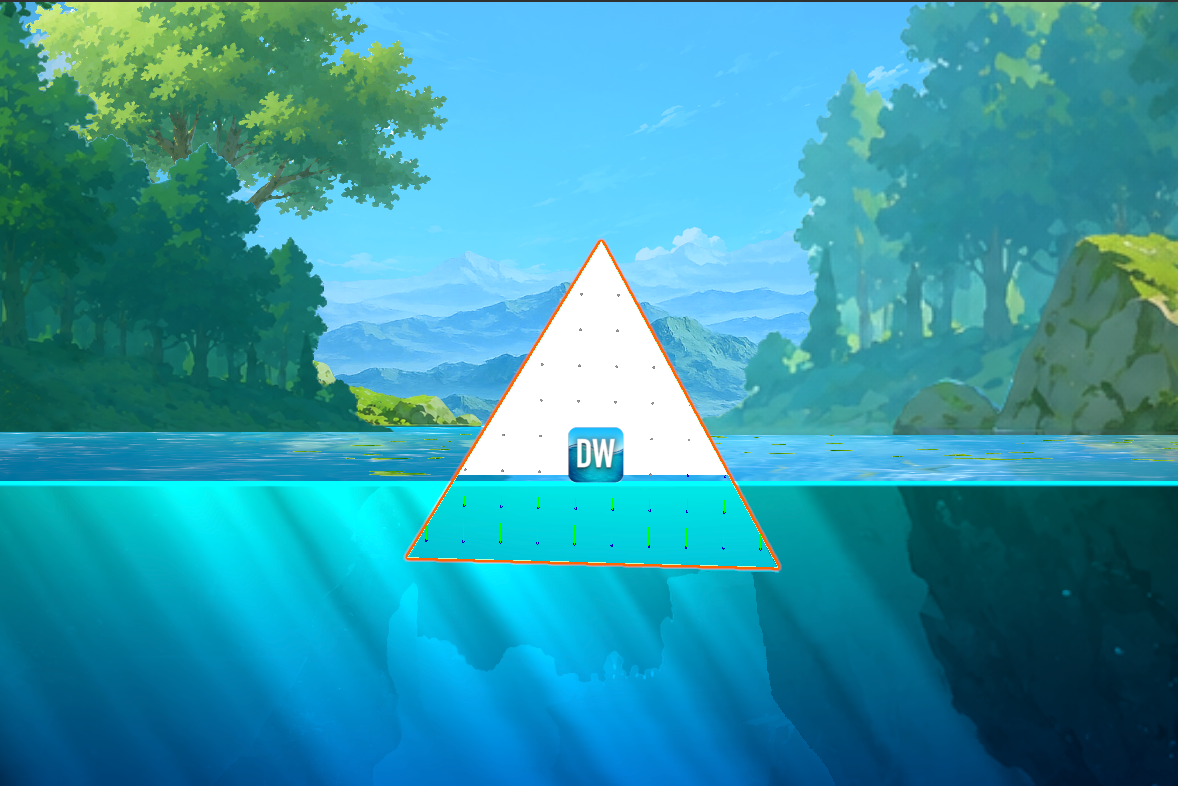
The dots in the Scene view are buoyancy sample points, not separate floating objects. Use Show Debug Lines while tuning point coverage, then disable it when authoring feedback is no longer needed.
| Setting | Effect |
|---|---|
| Point Spacing / Max Float Points | Controls sampling density and its upper bound. Denser sampling costs more. |
| Buoyancy Strength | Upward lift strength. Tune against the object’s mass and gravity. |
| Max Depth | Depth at which lift reaches its maximum contribution. |
| Flow Strength | Wave-related horizontal push. |
| Current Strength | Response to water currents. |
| Apply Current To Whole Body | Averages current across submerged points and applies it to the body, reducing current-induced spin. |
| Current Affects Only X | Restricts current response to the horizontal axis. |
| Water Linear / Angular Drag | Resistance to movement and rotation in water. |
| Use Stored Air Defaults | Uses stored air damping instead of sampling runtime Rigidbody values. |
| Show Debug Lines | Shows sampling/force diagnostics in the Scene view. |
If the object sinks too far, first check that it is finding water, then tune lift and maximum depth. If it oscillates excessively, tune damping and point distribution. If currents create unwanted spin, enable whole-body current application. Do not drive the same transform with a floating-platform component or a custom position controller at the same time.